How to Create a Nintendo Account
Updated: September 2026
How Do I Sign Up for a Nintendo Account?
A Nintendo Account is the essential key to the entire Nintendo digital ecosystem. It is required to access the Nintendo eShop, download free demos, redeem digital CD keys, back up your save files via cloud storage, and connect with friends across Nintendo Switch and Nintendo Switch 2 consoles.
Follow this quick step-by-step tutorial to create your free account in just a few minutes.
Step 1: Go to the Official Nintendo Website
Navigate to the official Nintendo website on your PC, smartphone, or tablet. In the upper-right corner of your screen, click on Log in / Sign up.

Step 2: Select “Create a Nintendo Account”
On the login menu that appears, select Create a Nintendo Account (or Sign Up).

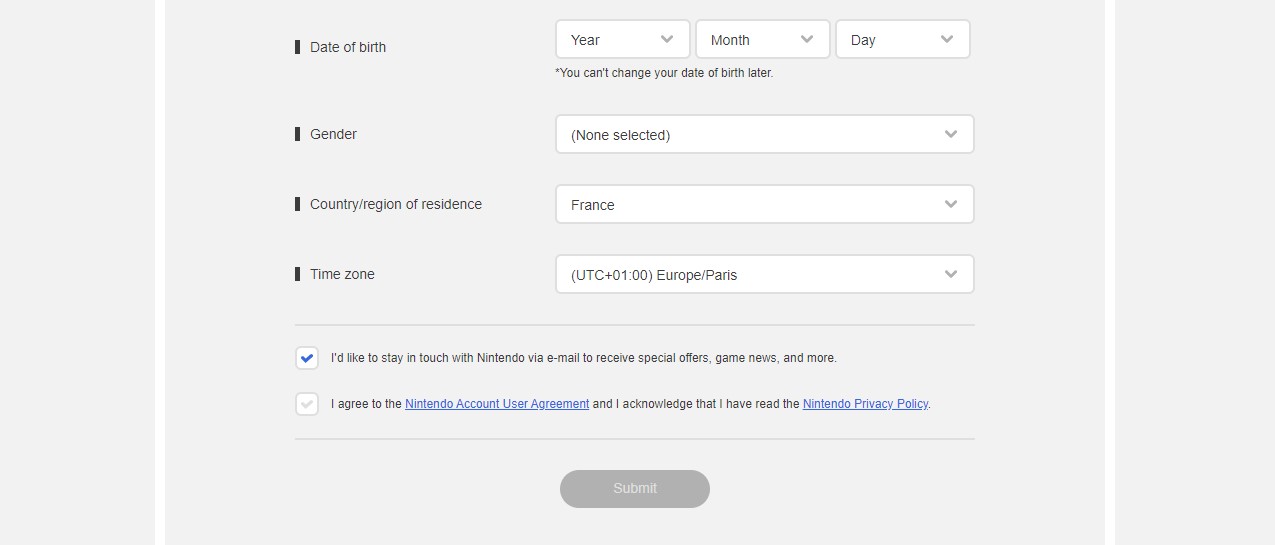
Step 3: Enter Your Date of Birth
Select your age category. For users aged 16 and older, choose the standard account creation option and confirm your birth date.

Step 4: Choose Your Sign-in Method
You can quickly link and authenticate your account using an external service such as Google or Apple ID, or choose to register manually with an email address.

Step 5: Fill in Account Information & Region
Enter your nickname, email address, password, and select your Country / Region of Residence. (Important: Ensure your country selection matches the currency and regional eShop codes you plan to purchase).
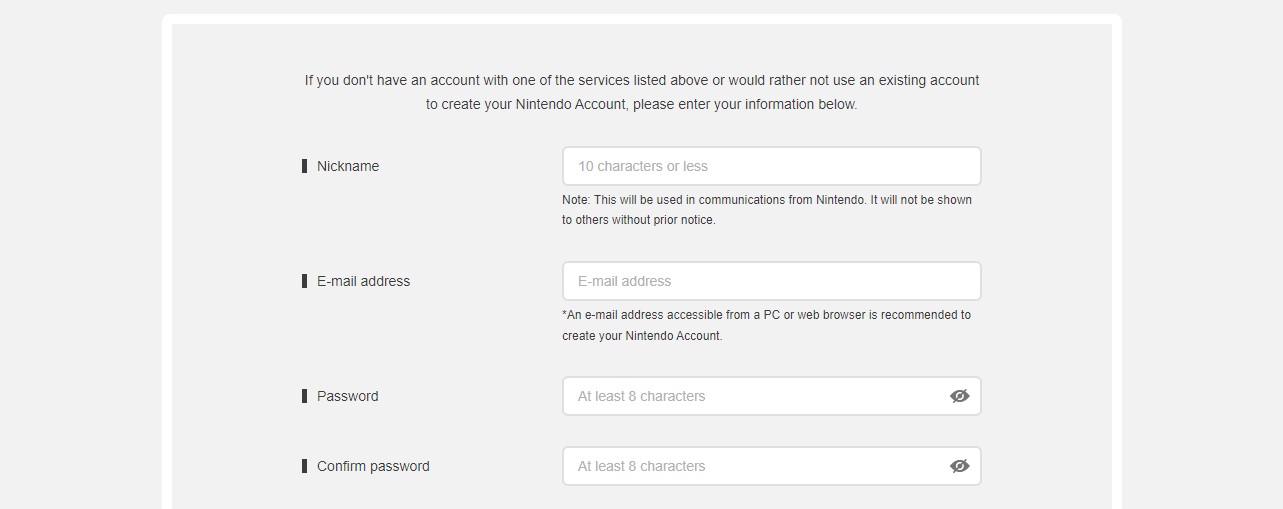
Nintendo will send a 4-digit verification code to your email address. Enter this confirmation code on screen to finalize your registration.
Can You Have Multiple Nintendo Accounts on One Console?
Yes! A single Nintendo Switch or Nintendo Switch 2 console can support up to 8 distinct user profiles, each linked to their own separate Nintendo Account. Having multiple accounts on one device provides several major benefits:
- Separate Save Files: Family members and friends can enjoy their own independent save slots, achievements, and play logs.
- Access to Different eShop Regions: Create an alternate profile set to a different country to browse foreign eShop deals and regional exclusives.
- Playing Cheap Game Accounts: If you purchase digital games sold in account format, you simply add the provided profile to your console as a secondary user to download and play the title at up to 70% off retail prices.
Interested in Buying Pre-Loaded Game Accounts?
Instead of full-price retail games, discover verified digital accounts pre-loaded with top Nintendo blockbuster titles. Compare prices across trusted merchants:
*If you need further assistance or have any questions regarding your account or orders, feel free to reach out to our team at support@allkeyshop.com. We are always happy to help.
Read this post in:











Comments (0)