







Disney Dreamlight Valley: How to Unlock the “Sakura Blossom Dragon” for Free


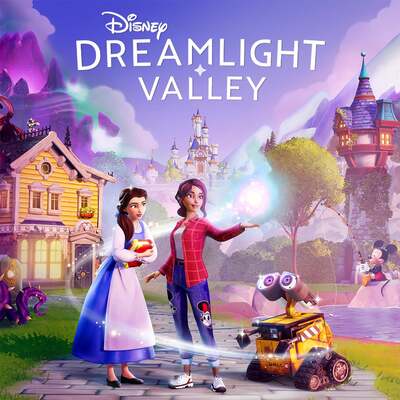
Gameloft is celebrating the end of the year with a treat for all Disney Dreamlight Valley players. Aside from the massive December update, a free companion is up for grabs today. Here is the exclusive code to unlock the “Sakura Blossom Dragon” and exactly how to redeem it.
Learn more on what’s in store for Disney Dreamlight Valley with the 2026 Roadmap!
A Massive December Update for Disney Dreamlight Valley
Disney Dreamlight Valley has solidified its place as a reference in the cozy game genre. Season after season, Gameloft continues to polish its golden goose with constant improvements.
With new zones, long-awaited characters, and quality-of-life updates, the Mickey-infused life sim remains a massive hit. The usual December update is dropping in just a few hours, bringing free content for everyone.
Snowflakes, sparkles, and a little holiday magic! Celebrate the season and enjoy a magical winter adventure with Cinderella in The Winter Ball update, arriving December 10! ❄️ pic.twitter.com/fORzdtpqGQ
— Disney Dreamlight Valley (@DisneyDLV) December 1, 2025
Get the Sakura Blossom Dragon for Free
Regular players know the schedule well: the next major update lands this Wednesday, December 10, 2025. This patch marks the arrival of Cinderella, fresh quests, and exclusive holiday events.
It is plenty to keep us busy during the festive season, but Gameloft is feeling extra generous. The studio has planned a specific gift to accompany this Disney Dreamlight Valley patch.
By entering the code COMMUNITYCOMPANIONDRAGON2025, players will unlock “The Sakura Blossom Dragon.” This companion is a unique creation born from a collaboration with the community.
Important Note: You need to be careful with the timing. You must wait until the update is fully deployed on the evening of December 10, 2025, for the code to work. It will not be valid before that time.
How to Redeem Codes in Disney Dreamlight Valley
It is rare to get a free companion in Disney Dreamlight Valley, so make sure you do not miss this opportunity. We have prepared a quick guide to help you activate the code.
Follow these simple steps to claim your gift:
- Launch Disney Dreamlight Valley and open the main menu.
- Navigate to the Settings tab at the top right of the screen.
- Select the Help tab on the left side.
- Enter the code in the Redemption Code section.
- Click on Claim. (Note: If you see a message saying the code was already redeemed, don’t panic, it is a common visual bug).
- Head to your Mailbox to collect your rewards.
Sometimes the items take a moment to appear in the mail, but it is usually instant.
Watch our latest Developer Update to discover everything coming in The Winter Ball update — launching December 10!
From the arrival of a long-awaited princess to festive limited-time events and exciting new features, there’s plenty to look forward to this winter season!… pic.twitter.com/fVebOyzlOz — Disney Dreamlight Valley (@DisneyDLV) December 5, 2025
In Conclusion: Ready for the Holidays?
This is a great way to kick off the new season in the Valley. Be sure to redeem the code as soon as the servers are updated.
Are you excited to add the Sakura Dragon to your collection, or are you more hyped for Cinderella? Tell us in the comments!
A video game enthusiast ever since I first got my hands on a Game Boy. Over the years, I've played many different games across various genres, discovering hidden gems and niche titles along the way. I'm also passionate about technology, always up-to-date with the latest news and insight in the PC and Console market. Ready to share and bring you the latest news !
Download the Allkeyshop Browser Extension Free
For all the latest video game news, trailers, and best deals, make sure to bookmark us.
You can find all the best and cheapest online deals on CD keys, game codes, gift cards, and antivirus software from the verified CD key sellers on our store pages.
To not miss any news on Allkeyshop, subscribe on
Google News
.
MORE RELEVANT ARTICLES



